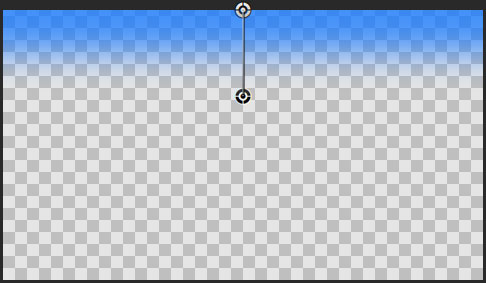
In September 2011, I made an improved version of Final Cut Pro X’s Ticker title. I linked the size of the background of the ticker to the font size of the text and made the title work in different aspect ratios such as 4:3 and 2:1.

This new ‘Plus’ version adds some animation and layout options. Now you can have the ticker move from left to right or remain still. You can also choose where the ticker starts moving from, and if the ticker itself is cropped. The duration of tickers can be longer too.

The default text position is within the title safe area. You can control the vertical position of the ticker, the transparency, border and shadow of the text and the background.

(To get the dot “·” used in the sample text, press shift-option 9)

Here are the main controls:

Read More

On the same day as the iPhone 5 announcement, Apple also launched new iPods. I found the pricing of the new iPod Touch interesting. If Apple is launching new smaller iPads next month, the pricing for the new iPods will have taken iPad pricing into account.

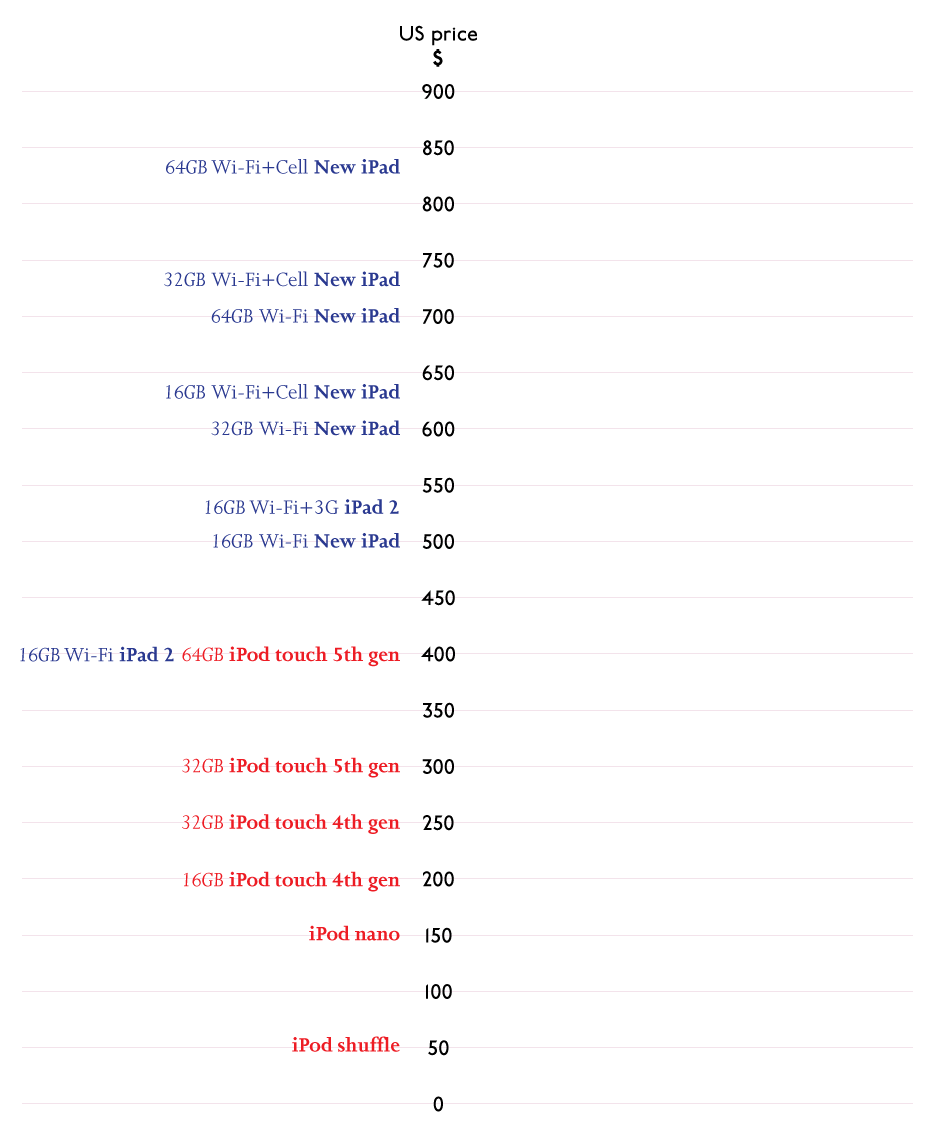
Here’s the current pricing line up for the iPod and iPad range as of September 12, 2012:

There are a two obvious price points left unoccupied.

The new smaller iPad is expected to be popular with younger people for use at home and at school, a similar market definition to the iPod touch.

So, where will the new iPads fit in? Will they have a 64GB variant? As the new iPhone 5 has enough space for a LTE radio, will there be a cellular version of the new iPad?

Although there isn’t a 16GB 5th generation iPod touch model, it is likely that Apple will want a gateway 16GB iPad ‘light’ model.

Although everyone is expecting the low-end iPad ‘light’ to cost as little as $250, that doesn’t seem to fit with the pricing of the iPod touches announced a couple of weeks ago.

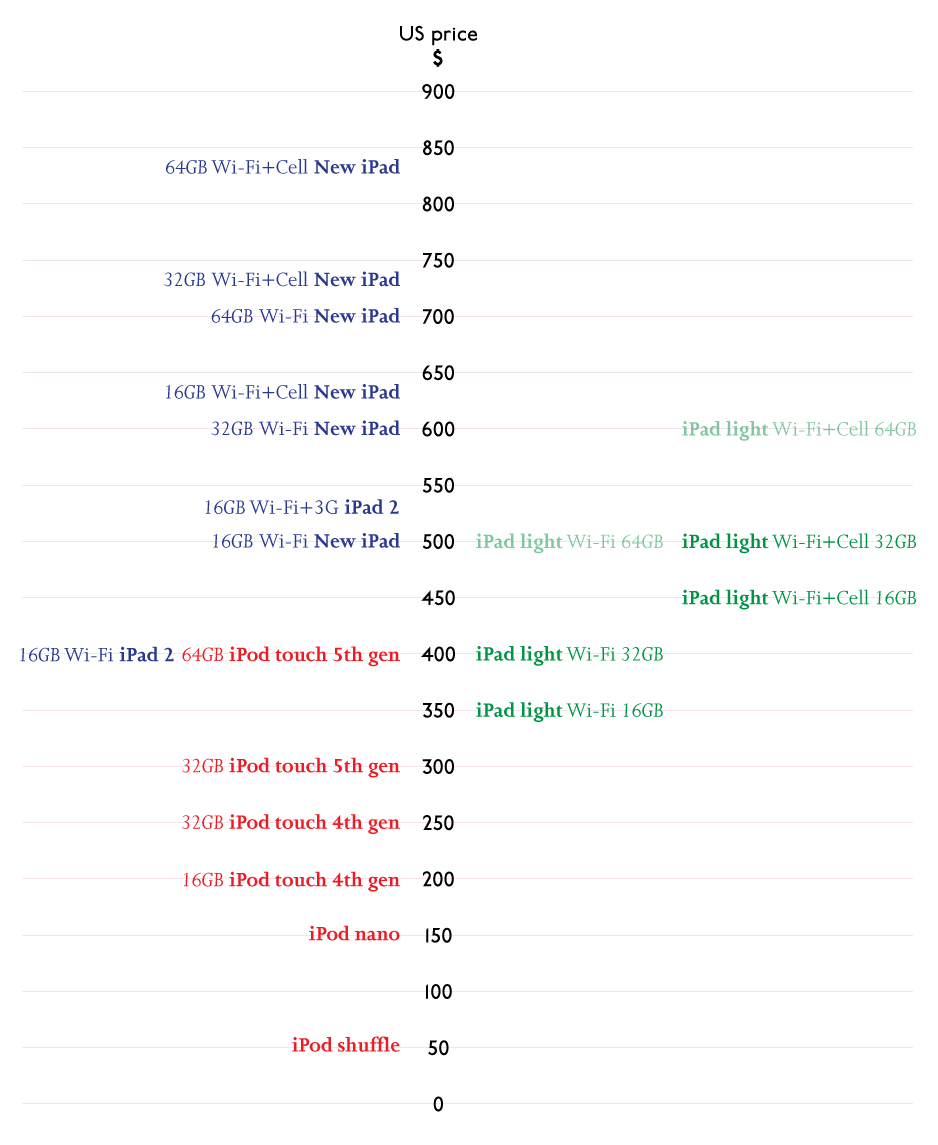
Given that, here’s my guess as to where the new iPads might fit:

Although $500 seems high for a 32GB iPad light with LTE, it is unlikely that Apple will want to sell it for much less than a 16GB Wi-Fi New iPad.

Maybe the Wi-Fi iPad light will cost $300, but $250 seems unlikely. If it was $250, the 16GB iPad 2 will be priced at $50 more than a 32GB iPad light, and the 16GB New iPad will be $50 more than the 64GB iPad light.

It’s not as easy as it first seems to fit the new smaller iPads into Apple’s price list.

What do you think?

If you’ve updated your iPhone, iPad or iPod Touch to iOS 6, you’ll find the Maps app uses new data. It is likely that if you have local knowledge, you find errors and missing information. The new data is much less comprehensive than the Google Maps data the app used until now.

Eventually errors will be fixed and many more points of interest will be added. To speed the process, Apple have included ways for us to submit information and corrections.

Points of interest shown at incorrect location

If you see that a business, park, station, hospital or other point of interest is shown at an incorrect location, you can send Apple the correct location.

Tap the blue right-facing arrow to see point of interest details.

Read More

I’ve updated my Magic Lantern Compose Final Cut Pro X generator.

November update: The 10.0.6 update to Final Cut Pro X has broken these generators – they only work in 10.0.5. This is because the way motion templates handle drop zone clips has changed. Sorry!

Magic Lantern is a system for adding features to Canon DSLRs, Unified is a recent ML package enables some cameras to shoot footage that can processed to produce content with a larger exposure range – i.e. High Dynamic Range.

The files produced are made up of alternate frames of under- and over-exposed footage. The generators take these frames and give you better control over how these frames are combined.

For more information on Unified and Magic Lantern and the software to for your Canon DSLR, visit its home

Read More

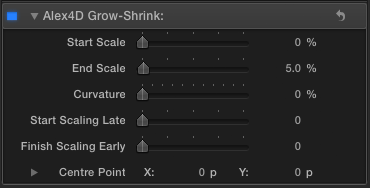
This Final Cut Pro X effect animates a change in scale for a clip. It defaults to increasing the size of a clip by 5% over the lifetime of the clip. This kind of ‘creep in’ is useful for adding a little subliminal interest to stills and titles.

You can also choose a centre point for the scaling to happen around. This helps to zoom in on an interviewee, or zoom out from a specific part of the frame.

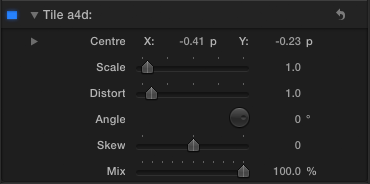
Here are the controls:

Read More

This Final Cut Pro X effect combines two of my other effects: Alex4D Rotate XYZ and Alex4D Extrude. With it you can rotate a clip or title in three dimensions and then extrude it to simulate a 3D effect.

Here’s what it looks like in action:

The advantage of combining these two effects over applying the rotate effect followed by the extrude effect is that if you want to use the checkerboard background of the rotate effect and then extrude it, the checkerboard will be extruded along with the clip.

Read More

One less celebrated feature of Final Cut Pro X is the ability to quickly apply different colour grades using ‘Look’ effects.

Here’s a demo of all the built-in Looks:

There are samples of every colour correction effect built into Final Cut Pro X. They are found in the Looks section of the effects browser.

In most cases there are two samples of each effect – the first sample shows the default settings. In some cases there are a variety of different controls, so the second sample shows how different the effect can look when one or two parameters are changed.

The footage is from the Blackmagic website forum, showing off footage from their new 2.5K camera.

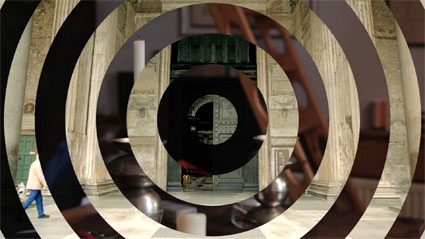
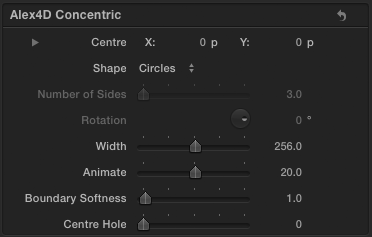
In this Final Cut Pro X transition the incoming clip is divided up into a series of concentric shapes which fade in over the outgoing clip. You can choose from circles, triangles, squares and polygons with more sides. You can also control the width between each shape, the softness of the edges amongst other settings

Here are the controls:

Read More