Here’s a filter which uses the name of a clip’s reel to define which font to use when drawing text. It is a bit of a bodge, but it might save you a lot of time.

Once you have installed the plugin*, here’s how you use it:

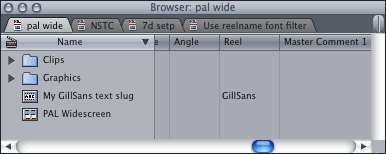
1. Choose ‘Slug’ from the generators menu:

2. Apply the ‘Text – Reel Font Alex4D’ filter (which is in the ‘Text’ folder of ‘Video Filters’)

3. Make sure the pixel aspect ratio setting of the filter matches the pixel aspect ratio of your Sequence. Have a look at ‘Settings…’ in the ‘Sequence’ menu:

Make the same choice from the pop-up menu in the filter settings:

You need to do this because there is a fault with FxScript, the plugin programming language which means filters can render differently depending on whether you use Safe or Unlimited RT to render your sequence.

4. To set the font the type uses, right-click the Slug clip and choose ‘Item Properties:Logging Info…’:

Enter the name of the font you want to use in the ‘Reel’ entry:

5. Now you have a prototype clip, you can use it elsewhere in your project as much as you want, you can drag it to the browser, option-drag it along the timeline, blade it to divide it into two. As these clips will remain affiliated, you need only change the font named in the Reel of one instance of these clips for them all to change.

6. When you change the font in one of the clips, the reel name (i.e. the font to be used) will change in all the affiliated clips. However, Final Cut will not know that the clips need to be re-rendered. You need to force the clips to be re-rendered. First select one clip and choose ‘Reveal Affiliated Clips in Front Sequence’ to select the other clips with the same font:

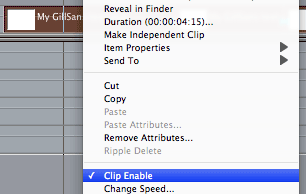
While they are selected, disable and re-enable the visibility of the clips. You can do this quickly by pressing Control-B twice, or choose ‘Clip Enable’ twice from the pop-up menu:

Download Alex4D Reel font

*To install the plugins, download the ZIP document, extract the file and copy the ‘Reel font Alex4D.fcfcc’ file to

Your Startup HD/Library/Application Support/Final Cut Pro System Support/Plugins

(Your Startup HD/Users/your name/Library/Application Support/Final Cut Express Support/Plugins for Final Cut Express users)

The filter appears in the ‘Text’ filter category.

Visit my Final Cut home for more plugins and tips
finalcuthomethumbnail

If you find this plugin useful, please consider donating as a sign of your appreciation. Thank you.

iAds is the system where iOS developers fund their work by letting Apple insert adverts into their applications for the iPhone, iPod Touch and iPad.

Google make their money by displaying adverts that are possibly relevant based on what you’ve searched for and the history of how you’ve used Google’s services (search, mail, maps…)

So how will Apple choose what ads to insert into iOS applications? Here’s a quote from their iAds sales site:

And using our unique audience interest and preference data, your ad is delivered to the consumers most likely to respond and buy.

Standard targeting options on the iAd Network include:

Demographics
Application preferences
Music passions
Movie genre interests
Television genre interests
Location

Looks like Apple is using information gleaned from how you use iTunes on your Mac or PC. It might be that those who downloaded iFart and Jiggle(?) might get served different iAds than those that use ‘Shakespeare’ regularly.

Apple could go further. They could also analyse how you use your iOS device. They could profile you based on which books you buy using iBooks and which videos you watch on YouTube and Vimeo. Could they tell your level of education by analysing your spelling and grammar? They could also judge you by your friends (using the social networking features of iTunes, or even from your Contacts list)…

In the long run, Apple might even be able to detect your state on using your iPhone: “Judging by app use, they seem to be working at the moment. Best not to serve frivolous content” or “The Twitter list they are using is a list of tweets by entertainers, no need to show work-related iAds.”

This sort of analysis will be much more accurate than what Facebook offers its advertisers. However much time people spend in Facebook, Apple is able to gather more information about its users by controlling the devices used to access the internet and all forms of media.

In an ideal world I’d see no commercials, but if I want others to fund TV, radio, podcasts and iOS apps, I’ll put up with some ads. If so, they might as well be relevant to me. If I’ve just bought a car, it’ll be a waste of my time and their money for the media to serve me any car ads for a while. However, in return for this kind of convenience, I need to give up some privacy.

I wonder if the default user option for this kind of profiling be an opt-in or opt-out…

PS: iAds might not just be only for iOS apps

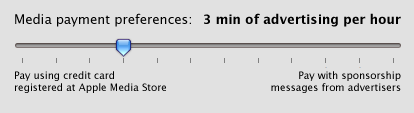
An imaginary ‘media payment preferences’ control
An imaginary ‘media payment preferences’ control.

Fun fact: Apple got a patent for inserting adverts into media at playback back in June 2008. I wrote about the implications back then.

The latest Mac rumour is that Apple will announce a multitouch trackpad for desktop Macs.

For this new device to be useful, Apple needs to define how multitouch works when you don’t look at what you’re touching, but need to be accurate. At the moment, you can use MacBook touch pad gestures for a variety of commands (previous page, next page, scaling), but these instructions don’t require accuracy of fingertip positioning.

In order for us not to look at the ‘magical’ touchpad we’re using with our Macs, we need to know where our touches would land in the user interface of the current application if we touched the pad in a specific position. That means we can look at the monitors we already have, but still get the benefits of multitouch manipulation.

In August of 2007, Apple patented a multitouch interface for a portable computer that uses a camera to detect where a person’s hands are before they touch the trackpad or keyboard.

Illustration from Apple's 2007 Multitouch patent featuring a camera detecting where a user's hands are when not touching the trackpad.

Now that we have a device for detecting where our fingertips are, Apple need to update the UI guidelines to allow for multiple cursors (one for each fingertip) and let fingers not touching the trackpad still send a ‘hover’ message to user interface items.

For example, they could use filled and unfilled circles to show where fingertips are. Unfilled to show where fingertips are hovering over the trackpad, filled to show contact:

A screenshot from Final Cut showing a fingertip touching one edit and another hovering over a different edit.

In this Final Cut example, one fingertip is touching an edit, another is hovering over a different edit. To select more than one edit, editors hold down the option key and click additional edits. In a multitouch UI, the editor could hold down a fingertip on the first edit and tap the other edits to extend the selection:
Final Cut screenshot showing four edits selected

The hovering fingertip circles could also show the context of what would happen if the user touched. Here’s an example from Avid:
Mockup of multitouch UI extensions to an Avid screenshot.

Here the editor has their left hand over the multitouch trackpad. The index finger is touching, so its red circle is filled. As we are in trim mode the current cursor for the index finger is the B-side roller because it is touching a roller. The other fingers are almost touching. They are shown with unfilled circles with faint cursors that are correct based on where they are on the screen: the middle and ring fingers have arrow cursors, if the little (pinky) finger touches, then it would be trimming the A-side roller.

Once you can directly manipulate the UI using multiple touch points, you’ll be able to get rid of even short-lived modes. I wrote about gestural edits back in 2007.

Ironically, once Apple does provide multitouch UI extensions to OS X, then the concepts of hovering, ‘mouseenter’ and ‘mouseleave’ can be added to Flash-based UIs for those using multitouch devices. Oh well!

Spent most of the afternoon trying to chase down a Final Cut Studio bug.

Today’s task was to generate an audio-only OMF version of my movie for the sound editor. I wanted to check the OMF included the handles and keyframes that I had specified. As Soundtrack can import OMFs, I tried that.

My audio OMFs exported from Final Cut Pro 7 weren’t importing into Soundtrack Pro 3. There was no error reported, the command just did nothing.

After some trial and error, I discovered that OMFs won’t import if they have any clips created using the Bars and Tone generator.

Ironically you are more likely to use bars and tone generators in timelines you export as OMF, as sound editors like pops at the start and finish of sequences on all tracks to make sure everything stays in sync.

The workaround is to make a QuickTime pop by exporting your Bars and Tone frame as a single frame movie, import it and replace the generated tone on all your audio tracks.

PS: Don’t use OMF to transfer information from Final Cut to Soundtrack, use ‘Send to Soundtrack’. I wanted to use Soundtrack to check the OMFs to see if they’ll import into ProTools.

Watching ‘Hustle’ on the BBC this evening, I noticed a ‘good enough’ day for night shot.

It was made obvious by a transition directly from the day version of the setup:

To the same shot colour-corrected to look like night-time:

Click the shots to see bigger versions.

They used a flat monotonous sky to pull a key, but they ended up letting quite a lot of the tops of the trees floating in mid-air. Some of the house roof details vanished too.

They even added an owl hoot to the soundtrack to sell the idea. To imply that they had crossfaded between two shots, they moved the second shot down a little so that the whole image changed.

For the budding colourists, you can use these images as before/after references on how to change a day shot to look as if it were shot at night.

If you’re in the UK, you can see the the original episode for the next few weeks. Spool to (27:51).

In which I describe how Twitter Lists could supply us all with the power of context.

Twitter have just announced that you will be able to organise individual Twitterers into Twitter Lists.

null

This makes official the kind of organisation users have be doing with client applications such as TweetDeck – the kind of application anyone who follows more than 500 people has been using in recent months. Instead of seeing every update from all the people you follow, you can view just the tweets from specific groups of people.

At the moment Twitter is selling this new feature as a method of finding interesting people to follow. I might want to curate a List of people who write about post-production for example. By default, user-created Lists will be public. Once this List is known, and favoured by many people subscribing to it (as opposed to those ‘other post-production Lists’), I’ll have an incentive to keep it fresh, so the people that follow the List will have a continually refreshed list of ‘experts in a field’/’entertainers on a topic’/’philosophers of a specific school’/’fans of a given TV show’/’alumni of a school’ etc.

The first side effect of Lists will be that people who follow a couple of hundred others can now follow many more – knowing that these ‘check out their updates every once in a while’ follows can be relegated to a list that doesn’t clutter up the main feed. This will mean well-followed people/organisations will become even-more-followed people/organisations. But being followed by many people more who don’t read your updates very often might not improve your ‘Twitter Authority’ score.

Search

However, once people can limit searches to these Twitter Lists, the results they get back will probably be much more useful. Firstly, they’ll be able to search the text of the tweets of people in a given list. Then they could have the option for that search to include the content found at the site linked to on List members’ profile pages. After that the search could include the content linked to in the tweets, such as TwitPic pictures, Song.ly lyrics, text/images/videos from web links.

If Twitter then saw which link was clicked from the list of results, they’d be able to create a ‘PeopleRank’ algorithm that could stand a very good comparison to Google’s PageRank algorithm. In this case the person/organisation which supplies the best information on a subject will have their content moved further up the list of search results. A new measure of Twitter authority.

Sharing your contexts with the world

I’d also suggest that Twitter set up some default private Lists for each Twitter user that would define which sorts of updates they’d like to receive, for instance:
0. Family
1. Friends
2. Acquaintances/Facebook friends
3. Close colleagues
4. Co-workers/Superiors/Subordinates
5. Industry contacts
6. Work-related pundits
7. Entertainment/Pastime-based commenters and pundits
8. Governments
9. Everyone else

If there were default lists like these, Twitter would become very powerful in many ways.

If users got accustomed to switching between these standard Lists of Twitterers they wanted to see the updates of, Twitter would be able to infer the new context they are changing to. If someone wanted to be entertained, they’d view List 7. If someone wanted to do some background research on their field of work, they’d view Lists 5 and 6. If they were in a frivolous mood, they might view Lists 1 and 2.

Once Twitter knows your context, they can associate your context with the tweets you write, the information you give out and the searches you do. In this way context 2 would allow Twitter to act like Facebook-Lite. Other contexts could implement versions of other social network models: e.g. context 5=Linked-In, context 7=MySpace.

Also if you defined the mode you were in, then the searches you do could supply better tuned content.

It also means the day you spend searching for content associated with work would skew the searches you do when looking something up for a family member.

If users maintained these lists then different groups could get different versions of other information, such as location. When I’m in Family and Friends mode at the weekend, only they get my location information – other lists might get a ‘blurred’ location such as ‘London’. When I’m away at a conference, people in my Colleagues and Industry Contacts Lists would be able to find me on the exhibit floor (or at a specific local bar), while Family and Friends need only know that I’m away in ‘Barcelona’.

Who else would like to know what context we are in? How about advertisers? Imagine if we’d never see an irrelevant advert again. I don’t want to see or hear ads for movies when I’m concentrating on work. When I’m catching up with friends, I won’t be interested in being served adverts associated with my job. I think advertisers would get much better responses if their messages were being presented to people who were in the correct context to receive them.

Given that Google have tens of billions of dollars of cash, maybe now’s the time to buy Twitter – before someone else does…

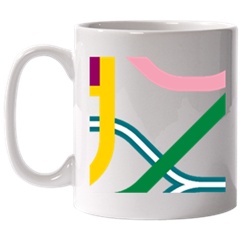
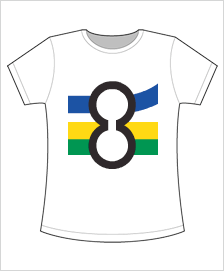
An entry on Annie Mole’s Going Underground blog informed me that the London Transport Museum are now selling products where you can personalise them to show any part of the tube map you like:
railorder1
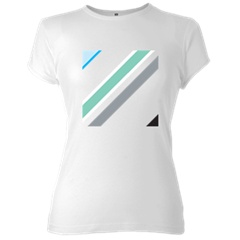
Men’s T-Shirt

railorder2
Women’s T-Shirt

railorder3
Mug

railorder4
Mouse Mat

railorder5
railorder6
railorder7

Go to the ‘RailOrder’ section of the museum site to order yours.

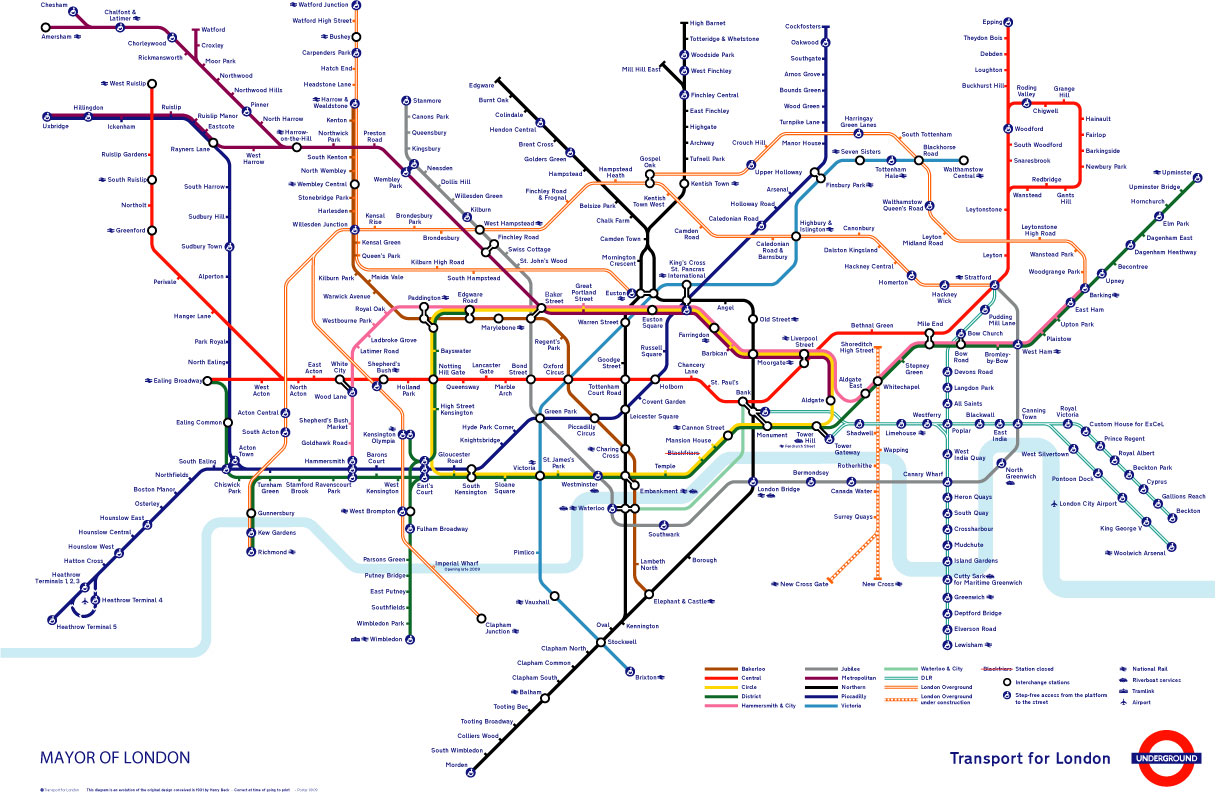
Map geekery: the version of the map they use is different from others: no disability blobs and no East London Line section of the Overground:
tube_map_no_ell

This week Transport for London have released a big revision to the tube map. They are trying to make it clearer. It is a great deal simpler than the previous version, but they may have gone too far. The River Thames has gone:

16_09_09_Tube_Map

I think that the Thames is one of the cues that gives some grounding to people who have a look at the map for the first time. In fact the river would fit perfectly well onto the current map as it is (apart from moving one station) if you incorporate a new rule: station labels are allowed to overlap the river.

Here’s a close up of what it would look like:
16_09_09_Tube_Map_zoom

…and the whole map:
16_09_09_Tube_Map_plus_rive

Instead of simplifying the map too far, here’s a reminder of my design that has all the same information as the previous map and more while being clearer:


My redesigned tube map.

For a long page on my thoughts on London transport design, visit this page.

For more radical tube map designs and commentary on the current official design, follow the work of author and designer Maxwell Roberts:
max_200907

See also:
100 posters celebrating the 100th birthday of the tube logo
Better art on the New York subway

This Matte filter gives you much more control over feathering. You set up two shapes – one is the inside of the matte, the other being the outside of the matte.

Here is the filter in Wireframe mode, where you can see the two shapes:

IO_Matte_wf

If you switch to Preview mode, you can see how the blend between the inside and outside shapes effects the matte:
IO_Matte_lowsteps

If you change to Final mode, increase the value for Steps in the Smoothness section, and overlay on top of a desaturated, darkened copy of the clip, you get this:
IO_matte_comp

Here are the controls:
IO_Matte_controls

You can enable and disable points on the matte:
IO_Matte_3_points
IO_Matte_all_8_points
If you enable less than three points, all eight points become temporarily enabled.

You can also only use the outside shape to form the matte:
IO_Matte_Outside_w_controls
IO_Matte_w

In this mode you can choose a feathering value to apply to the outside shape:
IO_Matte_Outside_f_controls
IO_Matte_Outside_final

Download Alex4D Inside Outside Matte
To use these plugins, download the ZIP document, copy the ‘Alex4D IO Matte.fcfcc’ file to

Your Startup HD/Library/Application Support/Final Cut Pro System Support/Plugins

(Your Startup HD/Users/your name/Library/Application Support/Final Cut Express Support/Plugins for Final Cut Express users)

The filter appears in the ‘Matte’ filter category.

Visit my Final Cut home for more plugins and tips
finalcuthomethumbnail

Over at the Los Angeles Final Cut Pro users group forum, ‘debe’ asked for a differing horizontal and vertical controls for the feathering of mattes. Here are three free Matte filter plugins to do this.

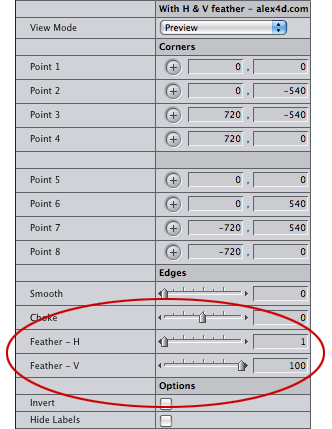
This is the kind of effect that Eight-Point Garbage Matte-hv has if the feathering is vertical only:

V-feather

featherhvcontrols

Included in ‘Alex4D Mattes-hv‘ are Four-Point Garbage Matte-hv, Eight-Point Garbage Matte-hv and Mask Feather-hv.

Plugins are implemented using FxScript code. These can be stored as text files in the Final Cut plugins folder. If you take a look at the code you’ll see that I changed very little of the code compared with the filters supplied by Apple.

Download Alex4D Mattes-hv
To use these plugins, download the ZIP document, copy ‘4-pt Garbage Matte-hv.txt’, ‘8-pt Garbage Matte-hv.txt’ and ‘Mask Feather-hv.txt’ to

Your Startup HD/Library/Application Support/Final Cut Pro System Support/Plugins

(Your Startup HD/Users/your name/Library/Application Support/Final Cut Express Support/Plugins for Final Cut Express users)

These filters appear in the ‘Matte’ filter category.

Visit my Final Cut home for more plugins and tips
finalcuthomethumbnail