
Blurs: Seven free Final Cut Pro X effects
These seven blur and sharpen effects have been available to Motion 5 users for a while, you can now download versions that work in Final Cut Pro.
Gradient Blur

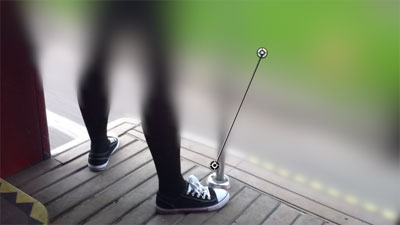
This effect applies a blur gradually between two points:
Circle Blur

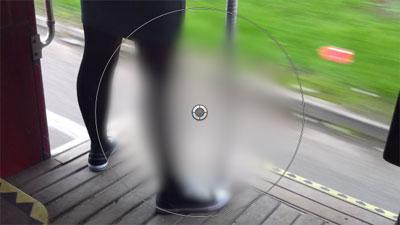
This effect applies a blur inside a circle. Use the on-screen controls to define the position and size of the circle:
Five more effects after the jump…
Soft Focus
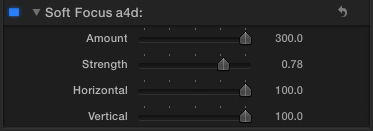
This overlays the clip on top of a blurred copy, producing a ‘fogged lens’ effect:

Compound Blur

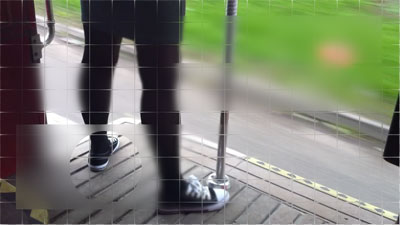
This blurs the clip based on the values of another clip. Here is the mapping image:
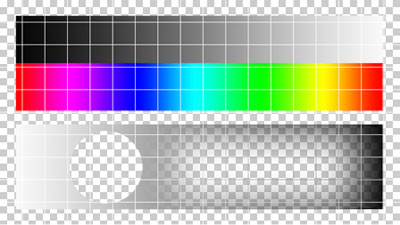
If the image is applied using the settings above, areas of the clip are blurred based on the brightness of the mapping clip:
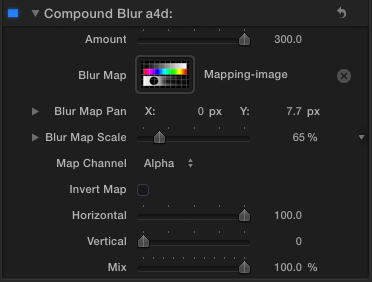
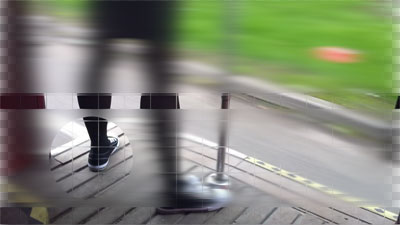
The following settings show the mapping image repositioned and at a different scale. The blur is now applied to the clip based on the transparency of the mapping clip, with no vertical blurring, just horizontal:
Unsharp Mask
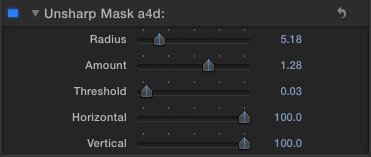
This effect sharpens the clip with more fine-tuning than the standard Final Cut Pro sharpen effect.
Defocus
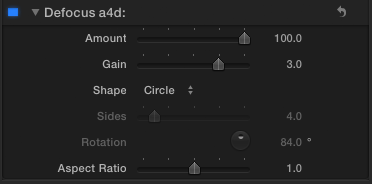
Produces a more visually accurate blur that simulates the way clips go out of focus when using a physical camera:
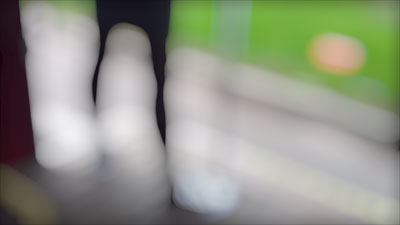
Compare that with the mathematics-based ‘Gaussian Blur’ effect:

Here is a close-up of using defocus with a circle shape on another clip:

The Gaussian Blur version:

The camera simulation is based on the shape of the lens aperture, which is ideally circular. Most actual lenses have aperture shapes which are polygons where the number of sides is greater than 7. To see the effect of a lower number of sides, these settings:

…produce this result:

Channel Blur
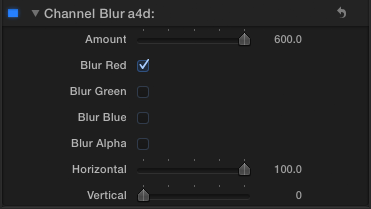
This provides the option to blur one or more specific channels:

Installation
Download this disk image:

It includes an installation script for Spherico’s Motion Template Tool application, if you don’t have it on your Mac, download it. It is a freeware/donationware tool that simplifies effects installation for Final Cut Pro X users. MTT installs the effects in the correct folders, creating them if need be. You don’t need to have Motion 5 installed for MTT or these effects to work.
Once you have MTT installed on your computer, double-click the ‘Install Alex4D Blur effects v1.0.mtt’ file.
If you don’t want to use MTT, install these effects in Home / Movies / Motion Templates / Effects / Blur (if you have a Motion Templates folder in your Movies folder, you will still probably have to create a Blur folder in the effects sub-folder):

If you find these free plugins useful, you might like my Alex4D Animation Transitions plugin pack:
Find out more about Alex4D Animation Transitions.
There are many more free plugins on my Final Cut Pro X page

 alex4D old blog
thank you Alex….
Superb work, thank you
Thank you so much, these effects are just what I was looking for.
thanks for all
hi alex
i hope dont disturb you, but i have some problems with this plugins. i’ve installed it like you describe above, with mtt installer, but they seems blue in my fcpx and don’t work. i ‘ve install too the curves plugin with this method (with mtt) and all is ok. sorry, but i don´t know whats the problem and maybe you can help me…
thanks a lot for your work, and hope you take a nice day!
adrian
My blur effects only work with Final Cut Pro v10.0.3 or newer, that might be your problem.
ya I am having the same problem… any way of fixing that? I just need the blur that make it look foggy.
Go to the Mac App Store in your Apple menu and check for updates, you’ll see there is a free update to Final Cut Pro. Download version 10.0.3
Thanks Alex, thats the problem.
I just register here to let you know, THA WAS AWESOME!! thank you!!, thank you!!, thank you!!, thank you!!
Dude this is awesome I am new to final cut pro x and was searching for a way to do this and now I have found it.
CARA ESSE FINAL CUT X É UMA PORCARIA, ELE TRABALHA SE ARRASTANDO PARECE UMA LESMA, NA MINHA OPINIÃO ESSE FINAL CUT X NÃO FOI APROVADO NÃO!!!
Using a free online translation tool, that comment was: ‘FACE THIS FINAL CUT X IT’S rubbish, HE WORKS IF dragging SEEMS A SNAIL, IN MY OPINION THIS FINAL CUT X WAS NOT APPROVED DO NOT!’
I manually installed them but they do not show up in Final Cut X. What am I doing wrong?
Try using the alternate method. Download the free Motion Template Tool application, the open the ‘Install Alex4D Blur effects v1.0.mtt’ installer file.
So if I’m understanding the tools you offer appear right in Final Cut X????
I’ve used the mtt installer and still do not see the filters in final cut x 10.6. Any ideas of how to make them work.
Work around: Open Motion and when the selection window opens click on one of Alex’s filters and open it. Now do save as… and name it “x” unsharp (new category). now go back to FCPX and you’ll see the filters ready to go.
Sorry, I think your filters are bogus. Nothing shows in Final Cut X. Never mind and thanks anyway.
You’re welcome. Good luck!
It’s important to find the right directory. Search for “motion templates kind:folder” and you should see it.
I tend to put these on other drives, so it’s important to find the one FCPX is looking at. When I dragged the folders into place, they show right up in FCPX’s Effects pane (cmd-5 to view).
Thanks for sharing these! Needed a simple Defocus filter, much appreciated.
Thanks a lot, Alex.
Hi Alex,
Can I use the plug ins for FCP7?
Thanks,
anja
Sadly, no.
You’ll have to search elsewhere for advanced blur effects for Final Cut Pro 6 and 7.
Do I need to restart FCPX in order for the effects to show up?
No, if the install went well, when you switch back, you should see the new effects.
I ended up restarting it and they showed up. Now when I drag the effect onto the clip in the timeline, it makes the clip a solid blue screen. Any Idea on why this is happening? Thanks.
What version of Final Cut Pro are you using?
https://alex4d.wordpress.com/2012/12/04/blue-screenis-your-fcpx-new-enough/
OMG!! I am a photographer starting in video and Unsharp mask is a revelation in video.
I have been mucking around with all sorts of things that just dont work for me but good old USM is back baby.
Thanks Alex, brilliant work!
BTW I used the install method of just dropping in the filters to the Home / Movies / Motion Templates / Effects /
I had to create a blur folder but it worked without an App restart. Very simple.
Thank you! I’ll modify the instruction to make it more clear that people need to create a ‘Blur’ folder for these effect folders to go into.
Fabulous. Much appreciated. I know it’s an obvious point but they reside in the ‘effects browser’ on FCP, not in ‘transitions’. I only say that because there is a set of ‘blur’ option in transitions, and perhaps some are looking there.
Wonderful Sharpen tool! Finally seeing ‘detail’ in my 7D footage.
I love passionnated and clever folks like you. Thank you from an Indie.
J’adore. Merci pour votre générosité
Amazing !!!! Finally I’ve sharpen effect !!!!
Thank you, thank you thank you !!!
Loving the Defocus overall! I often experience serious slowdowns and beach balls after applying the effect. Sometimes not but when it happens it’s like my machine bogs down and I can actually see little parts of the interface highlight in slow motion as it tries to catch up with what my mouse was doing. It just crawls along and finally comes back to normal. Has anyone else reported weird slowdowns like that? OSX 10.7.5, FCPX 10.0.6, 14GB RAM, Quadro 4000
Hi Alex, I’ve used your blur effects before and found them fantastic to use but since a recent rebuild they’ve gone from my HD. I was wondering if these are still available to download for FCPX, please? I can’t find a link for downloading any more. Many thanks.
I put the link in the ‘Installation’ section of each plugin blog post.
The download for this one is at the end of the ‘Download this disk image’ sentence.
Thanks, what could I use to create the miniature effect ( Tilt and shift emulator?
Thanks Alex, you have saved the day again. Many, many thanks. Ger.
Are there any instructions to the plugins somewhere? I would like to understand all parameters of the unsharp mask 🙂
All I know is from the Motion Help system: http://help.apple.com/motion/mac/5.1/#motn169f7953
It is probably based on the Photoshop filter of the same name, so perhaps it is worth doing a search for that!
When I try to open the same project on a different computer with the effects installed in the exact same place I get a “missing effect” warning. I then have to delete all the old instances of the effects and apply them again from the current computer. are you familiar with this issue? could you help me troubleshoot? thanks.
Once both computers are OK, export your project as an XML and then search the text for “Unsharp Mask” and see the difference in the location of the plugin on each machine.
Alex, the difference is one says “uid=”~Effects.localized/blur/Unsharp mask” and the other says “uid=”~Effects.localized/Blur.localized/Unsharp Mask” how would I correct this discrepancy?
Gabe – In the Finder use the Get Info command to bring up the window that shows the true name of the ‘Blur’ folder on the machine where the plugin doesn’t work. Rename the Blur folder to match the name of the Blur folder on the machine where the plugin worked.
Thanks a lot for sharing this great set of effects!
Cheers,
bunk
Thank you brother! Have been using your defocus and widescreen matte plugin since forever. Appreciate it!
Are these sharpen tools still available? I have searched for forty minutes to find where on this site to download them and even watched the youtube video but it shows a download link that down not appear now no matter what browser I use. I would really love to have proper unsharp mask abilities but need help!!!!!!!
is the old alex4d gradient blur not compatible with FCPX 10.4.3? Tried installing but the Install Alex4D Blur effects v1.0.mtt says it needs to be updated??? Please advise. Thanks!
Hello
Gradient Blur (a solid standby in these parts!) is acting oddly on my system as well. Upon opening a project all instances of Gradient Blur show as ‘plugin not found’. Deleting the applied instance and then reapplying the plugins sets things back to normal….gradient blur functions as expected. But this only functions until FCPX is quit…..upon restart of project all instances of RB are ‘not found’
Please advise.
(most recent FCPX/OS)
Pingback: 20 Best Final Cut Pro Filters (for Video, Film, Noise + More) 2021 - Theme Junkie