
DVD Studio Pro: Built-in fonts you can use everywhere
As Final Cut Studio comes with an optional install of templates for DVD Studio Pro, the application itself has fonts built-in to match the templates.

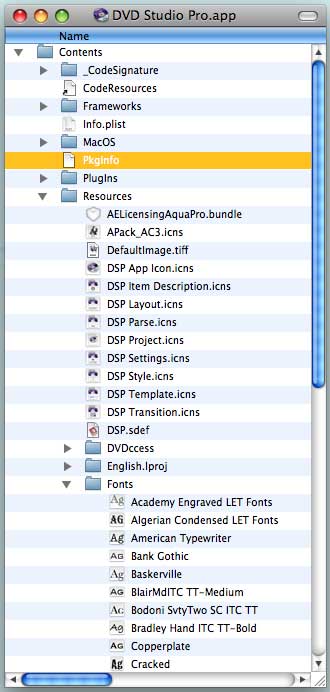
You can open up DVD Studio Pro and install these fonts in your system so you can use them in any other application:
- — Control- (or Right-) click its icon and choose ‘Show Package Contents’ from the shortcut menu.
- — Navigate so that the Fonts folder is visible.
- — Open the Font Book application.
- — Drag the Fonts folder icon from inside DVD Studio Pro to the Fonts panel in the main Font Book window
 alex4D old blog