
Final Cut Pro 7: Timecode Viewer options
FCP7’s Timecode Viewer is straightforward when playing the sequence in the Canvas, it displays the timecode and the name of the sequence playing.
There are more options when you are looking at footage in the Viewer if you Control- or Right- click the timecode:

You can choose whether to show timecode with frames (useful when clients insist on changing edits by the frame – if they can’t see how many frames you’ve moved the edit, they have to review the edit on it’s own merit). You can also show AUX 1 and or AUX 2 timecode.
In this case, AUX 1 is running at 50 fps, and AUX 2 represents the audio sync timecode.
You can also show selected fields from the browser by Control- or Right- clicking the clip name:
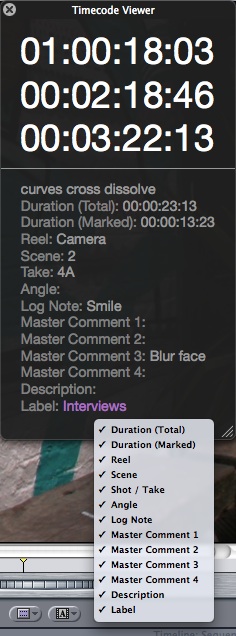
To change the size of the text, drag the divider between the timecode and the text.
 alex4D old blog